
Skool doesn't have a way to schedule posts. You write it, you hit publish, it goes out right then. If you want to post every day, you have to show up every day and do it manually.
I didn't want to do that. So I built scheduling into Skoot.
How it works
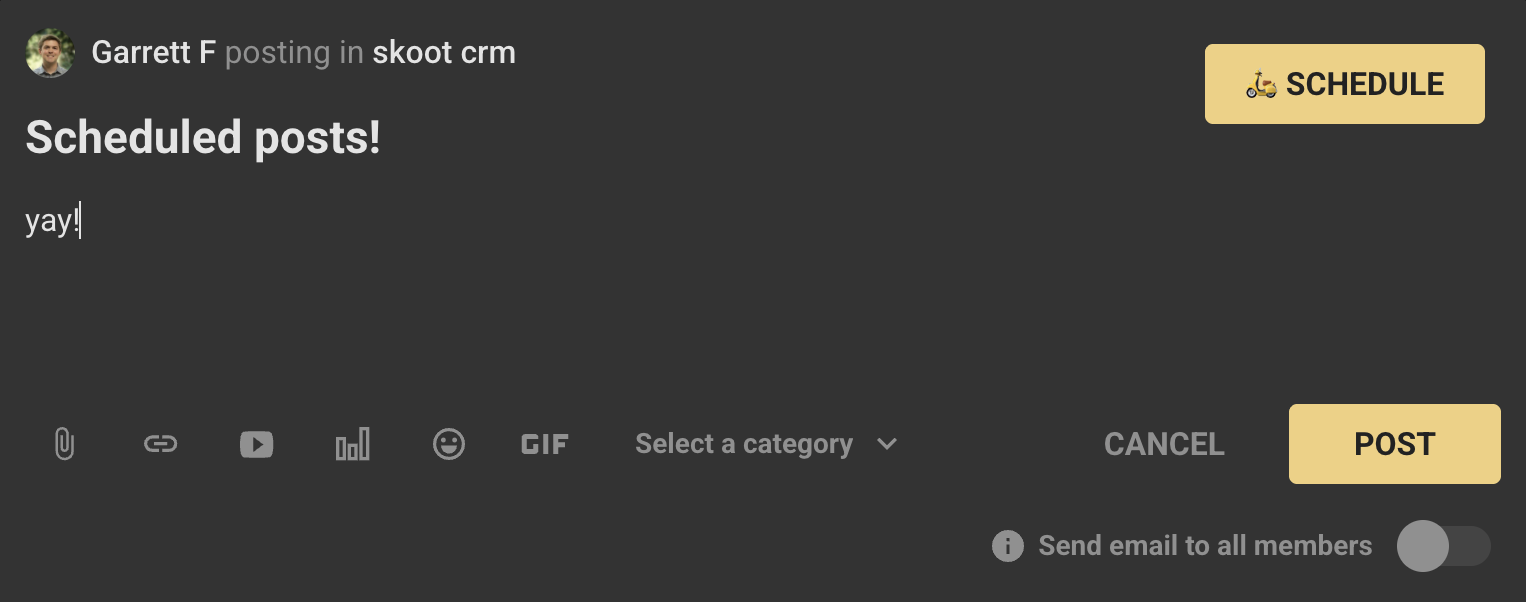
When you write a post in your Skool community with Skoot installed, there's a schedule button in the post area. Click it, pick the day and time, and you're done. The post goes out automatically.
That's it. Write your posts in one sitting, schedule them for the week, and stop thinking about it.
Best time to post
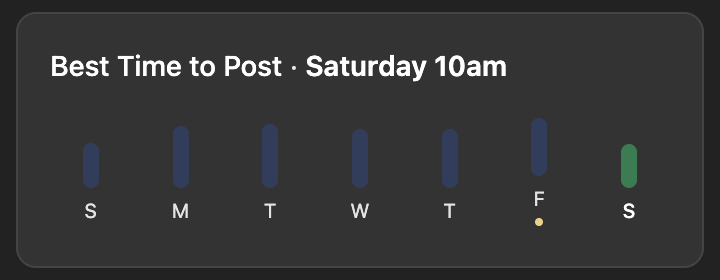
Skoot also tells you when to post. It checks your community hour by hour and shows you when the highest percentage of your members are online. It's personalized to your community.
Maybe Tuesdays at 10 AM is when the most people are online. That's when you should post. You don't have to guess.
Why it matters
Posting consistently is one of the easiest ways to keep your community active. The hard part is showing up every day. Scheduling removes that.
Skoot User
“
I just scheduled my posts for the week. Don't have to think about it anymore. Don't have to wake up every day and ask myself what I'm gonna post. If you're not using that feature, you're missing out.
Lucas Duquette
Community Owner
One community owner started scheduling one post per day, then bumped it to two. Within two weeks, he moved up 600 positions in the Skool rankings to #290. Consistent posting kept his members active.
The short version
- Skool doesn't have post scheduling built in
- Skoot adds a schedule button right in the post editor
- Write all your posts in one sitting, schedule them for the week
- Skoot shows you when the most members are online so you post at the right time